



Hi there! How can we help you today?
Plugins
Maintenance Mode Plus
$5.00$5.00(In stock)
A modern maintenance mode plugin for Botble CMS with a live countdown timer, customizable backgrounds, and an auto-disable feature.
Categories: Plugins
Maintenance Mode Plus
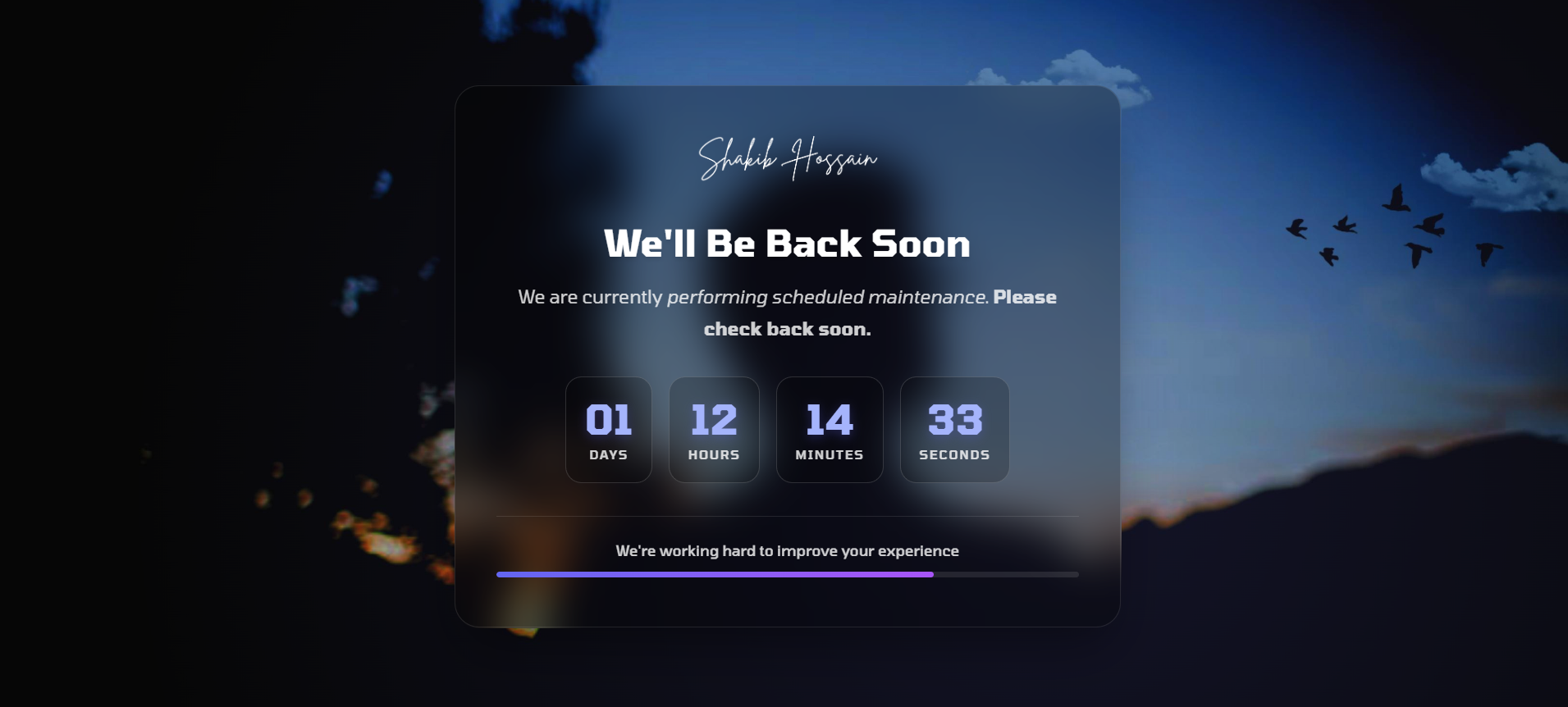
A modern maintenance mode plugin for Botble CMS with a live countdown timer, customizable backgrounds, and auto-disable functionality.
Features
- Easy Toggle: Enable or disable maintenance mode from the settings page
- Live Countdown Timer: Real-time countdown displayed on the maintenance page
- Auto-Disable: Automatically disable maintenance mode when the countdown expires
- Customizable Backgrounds: Choose between solid color, gradient, or image backgrounds
- Modern UI: Beautiful responsive design with dark and light mode support
- Admin Access: Administrators can always access both the admin panel and the frontend
- Route Exclusions: Login, logout, and static assets remain accessible
- HTTP 503 Status: Proper maintenance response code for SEO
Installation
- Copy the
maintenance-mode-plusfolder into your Botble plugins directory - Go to Admin → Plugins and activate Maintenance Mode Plus
- Navigate to Settings → Others → Maintenance Mode to configure the plugin
Configuration
| Setting | Description |
|---|---|
| Enable Maintenance Mode | Toggle maintenance mode on or off |
| Page Title | The main heading displayed on the maintenance page |
| Page Description | Message displayed to visitors (HTML allowed) |
| Maintenance End Date | The expected time when maintenance will end |
| Show Countdown Timer | Display a live countdown to the end date |
| Auto Disable When Time Ends | Automatically disable maintenance when countdown reaches zero |
| Background Type | Choose between solid color, gradient, or image |
| Logo | Custom logo for the maintenance page |
Route Exclusions
The following routes remain accessible during maintenance:
/admin/*— Admin panel routes/login— Login page/logout— Logout endpoint/storage/*— Media storage- Static assets (CSS, JS, images, fonts)
Requirements
- Botble CMS 7.0.0+
- PHP 8.0+
Use Cases
- Temporarily close the website while performing server upgrades or maintenance.
- Display a professional “Coming Soon” page before launching a new website
- Inform visitors about scheduled downtime with a clear countdown timer
- Prevent users from accessing unfinished features during development
- Perform database updates or migrations safely without disturbing visitors
Why Use Maintenance Mode Plus?
Maintenance Mode Plus provides a clean and professional way to temporarily restrict public access to your website while still allowing administrators to manage the system. Unlike simple maintenance pages, this plugin includes a real-time countdown timer, automatic disabling, and flexible background customization so your maintenance page can match your brand identity.
The plugin is lightweight, easy to configure, and fully integrated into the Botble CMS settings panel. You can enable maintenance mode in seconds without editing code or modifying your theme.
Design & Customization
The maintenance page is fully responsive and optimized for desktop, tablet, and mobile devices. You can easily customize the appearance using multiple background options and your own logo.
- Solid color backgrounds
- Gradient backgrounds
- Custom image backgrounds
- Dark and light interface support
SEO Friendly Maintenance Page
The plugin returns the proper HTTP 503 Service Unavailable status code during maintenance mode. This informs search engines that the downtime is temporary and prevents SEO penalties that might occur if a normal page response is returned.
Security & Admin Access
Even when maintenance mode is enabled, administrators can continue working normally. The plugin automatically allows access to the admin dashboard and login routes so you can manage content, update settings, and monitor your website while maintenance is active.
Performance
Maintenance Mode Plus is designed to be lightweight and efficient. It does not add unnecessary database queries or heavy scripts, ensuring that your website's performance remains stable even when the plugin is active.
Support
If you encounter any issues or need assistance with installation or configuration, feel free to contact support. We are happy to help you get the most out of Maintenance Mode Plus.
You may also like
Take it to your cart